

As you know, every electrical device requires a driving source of power to operate. In a computer, one of the most important components—effectively the heart of the system—is the power supply, which provides electricity to

As you know, every electrical device requires a driving source of power to operate. In a computer, one of the most important components—effectively the heart of the system—is the power supply, which provides electricity to the other computer components.
Power supply definition
A power supply or computer PSU is a device that supplies electrical energy to one or more loads, such as a computer. In short, a power supply takes electrical energy from a source—such as mains electricity, solar, or wind—and supplies it to the load at suitable frequency, voltage, and current levels. A regulated power supply can provide the load with an almost constant output voltage and current.
These supplies operate by first reducing the amplitude of the AC input with a step-down transformer, rectifying it with a diode bridge, then removing ripple with a simple capacitor filter before delivering output voltage and current to the load. A linear power supply can be used to stabilize the output voltage more effectively. These supplies have significant inherent limitations, so they are not generally used to provide high currents; however, they are useful in circuits that are sensitive to noise.
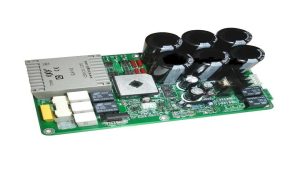
This is an electronic power supply that includes a switching regulator to achieve very high efficiency in electrical power conversion.
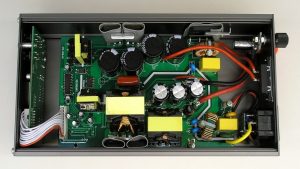
One of the most important advantages of this type of supply is its high efficiency. Because it operates mainly in cutoff and saturation regions, its own power consumption is minimal, which increases overall efficiency.
Other advantages include compact size, low weight, and lower losses in the form of heat. Disadvantages of switching supplies include complex circuitry, possible electromagnetic interference, and ripple at the switching frequency and its harmonics.
Most computers use a case power supply, which is a switching power supply. This power supply takes AC mains power and converts it into several DC voltage outputs. For a typical computer, these voltages may include -12 V, -5 V, 3.3 V, and 12 V, allowing the PSU to provide the electrical energy required by other computer components.
Switching supplies became common because they offer lower weight and size and better capabilities than linear supplies. The PSU is installed at the rear of the case and normally includes at least one fan.
Computer power supplies are generally divided into three categories: modular, semi-modular, and non-modular.
Modular
In this type of PSU, the output power cables have connectors at both ends and connect to the PSU using those connectors. If you want a clean case without unnecessary cabling, a modular PSU is recommended.
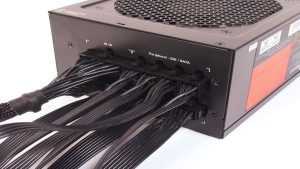
The main difference from a fully modular PSU is that the motherboard power cable cannot be detached from a semi-modular PSU. The remaining cables have connectors at both ends.
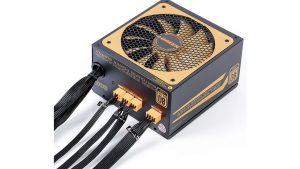
Based on the previous definitions, it is easy to understand how a non-modular PSU is cabled. A PSU whose output cables are permanently fixed to the chassis and usually exit through a single opening is considered non-modular. When using this type of PSU, there may be unused cables inside the case.
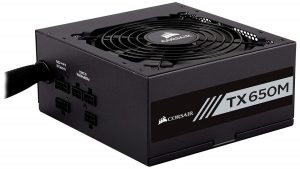
In this section, we discuss some features of a computer power supply. The PSU is one of the most important hardware components in a computer; Without it, the computer and its other components cannot operate. To select a PSU, you need information about the computer, its case components, and related requirements.
If the PSU voltage does not match the voltage requirements of your computer components, it can damage them. Therefore, knowing the PSU wattage and calculating the system’s required power are among the first things to consider before buying a PSU.
So far, we have established that the role of a PSU is to supply power to computer components. Computer power supplies come in different dimensions and form factors and must be compatible with the motherboard and case.
To choose a suitable PSU, consider the following points:
If you are looking for an Iranian brand offering good quality at a reasonable price, Green is one option to consider. If you simply want to know which PSU brands are generally well regarded, our suggested list is as follows:



